You are preparing
You choose the code content or the file you want to transmit.
In-browser tools Public instrument
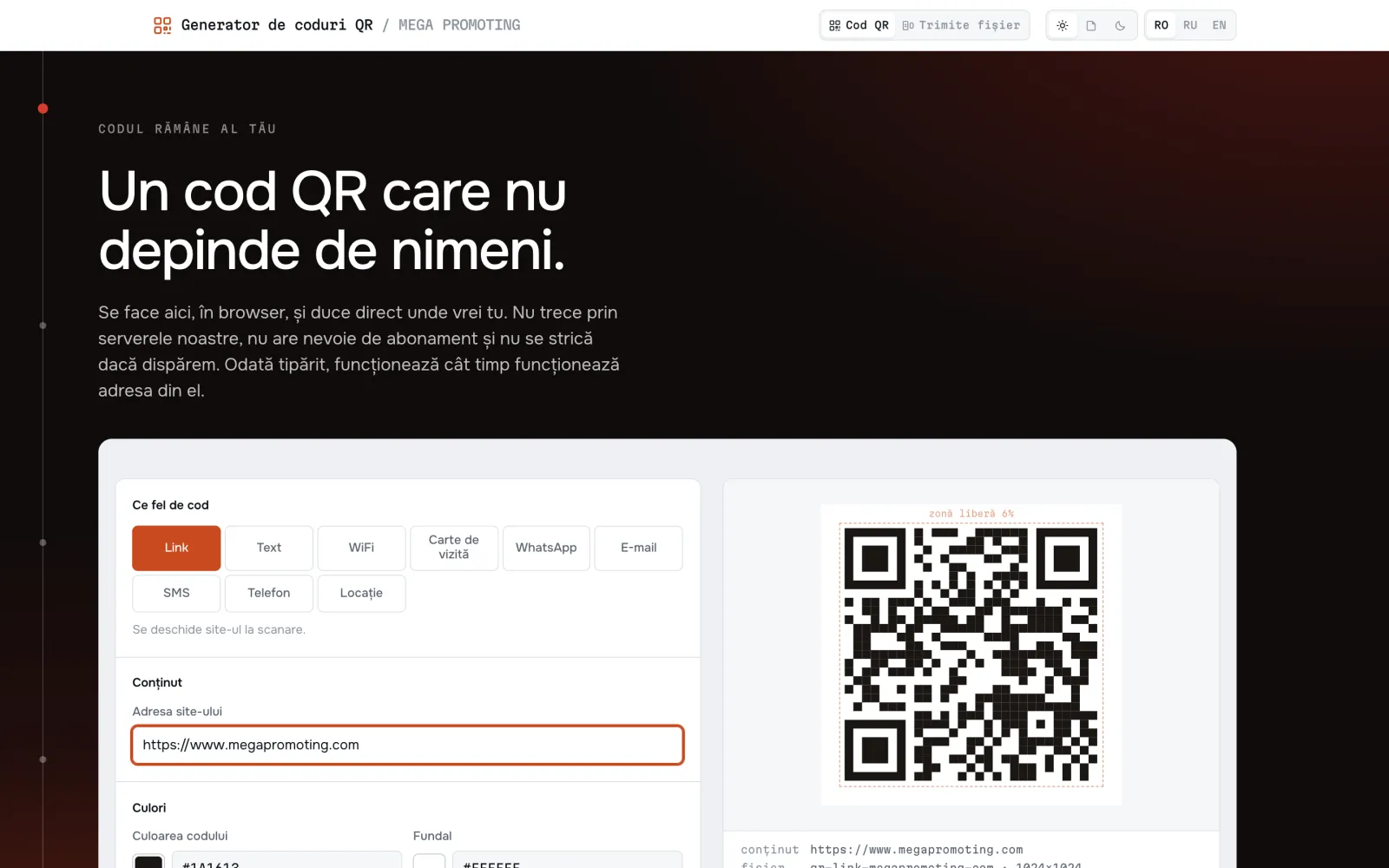
MEGA QR includes a code generator and an optical transfer tool. You create a code for a link, Wi-Fi or contact; for transfer, a screen displays a sequence of codes that the other device's camera reconstructs into a file.
MEGA QR
You choose the code content or the file you want to transmit.
The generator produces the QR image. Optical transfer displays successive frames.
The camera reads the code or collects frames until it can reconstruct the file.
Link, Wi-Fi, contact and other content types; PNG or SVG export.
Data transmitted between screen and camera, without a network connection between devices.
Generation and reconstruction are done in the browser, without a user account.
Optical transfer depends on the camera, light, distance and screen. The transmitting device does not receive receipt confirmation. A code displayed publicly can be read by those who see it.
MEGA QR in detail
MEGA QR are two tools on the same domain, and the second does not look at all like the first. The generator makes QR codes for eight types of content: link, text, WiFi, business card, WhatsApp, email, SMS, phone and coordinates. Optical transfer moves an entire file from a screen to a camera, without cable, without Bluetooth, without a network between the two devices.
Both run entirely in the browser. The pages make no requests to third parties, and the two WebAssembly binaries on which transfer depends are served from public/wasm/, not from a CDN — otherwise the promise that nothing leaves the device would be false. A WiFi password typed into the generator never reaches a server.
The idea worth understanding about transfer: a screen emits light, a camera reads it, and the receiver has no way to request anything back. There is no return channel. From that follows everything else — the frames describe themselves, their order does not matter, any sufficiently large subset reconstructs the file, and the sender can never know whether anything arrived.
Link, text, WiFi, vCard, WhatsApp, email, SMS, phone and geolocation. When you add a logo, the error correction level is forced to H, the highest — a logo makes a hole in the data area and the code would not survive otherwise. The logo is capped at 35% of the area, with a warning from 30%. The export is rendered separately from the preview, so that a 4096 px PNG does not disturb what is on screen.
The generation library, qr-code-styling 1.9.2, converts its text with charCodeAt(i) & 0xFF and silently cuts off every Romanian diacritic and all Cyrillic too: “Ștefan Țurcanu” would scan back as “tefan urcanu”. We encode in UTF-8 before it sees it, so that its truncation has nothing left to cut. WiFi and vCard payloads are escaped too — a “;” in a password or a comma in a company name would otherwise corrupt the code, with no sign.
The file is packed into an envelope (name, MIME type, size, SHA-256), compressed with gzip if it comes out smaller, then fed through RaptorQ (RFC 6330). Each frame carries a fixed 20-byte header and one or more packets. It does not matter which frames you catch, only how many: any sufficiently large subset reconstructs the file. Measured by actually rendered pixels, RaptorQ overhead is 1,000x — the LT codes used by reference projects require 1,15x.
The second sending mode is a fixed loop that repeats endlessly, with no session and nobody to press start. The loop length travels in every frame, so a passer-by who points the camera knows from the first code caught how long the whole thing lasts, instead of seeing a spinner. The reference configuration is 36 frames at 12 per second — a three-second loop that carries 25 KB from a single plain black-and-white code. A full menu, or a station's full timetable.
The number of codes on screen, the colour and the QR version are three different limits and are adjusted separately. The density scale has 29 steps, from v10 on a single band (7 KB/s at 30 frames per second) up to v39 on four bands in colour (959 KB/s). There is also a full no-colour scale, up to 320 KB/s, because a camera whose chrominance dies should not be left stuck on a single band.
Data and operation
From exploration to implementation
A QR code leads to short content and, if it is a link, to a page you can change later — the printed code does not change its destination by itself. Optical transfer moves a file between two devices that are not allowed or cannot communicate over a network. These are different tasks and confusing them is the most common mistake.
For print: contrast, final size, clear area around it, tested at the size at which it will be pasted. For transfer: how large a module falls on the camera sensor. Under a hard lens model (chroma grid offset by one pixel plus a 3x3 blur), colour returns all three codes at 4 device pixels per module and absolutely nothing at 2. That is the real boundary, and that is why colour is the human’s choice, not the controller’s.
Our suite runs a real camera chain — frames are written as YUV 4:2:0 and given to Chrome as a fake webcam, so chrominance subsampling is real. What it does not have: lens, reflections, motion, rolling shutter. Ten minutes with a real phone give the first honest figure and are the next step from our task list, not a detail.
Through a simulated camera chain, at 10 frames per second, with the codes filling most of the image at 3-5 camera pixels per module, all four configurations came out with verified hash: black and white on one band 15.8 KB/s, black and white on four bands 37.7 KB/s, colour on one band 40.1 KB/s, colour on four bands 115.7 KB/s. Colour on one band beats black and white on four. The miss rate was zero everywhere. Keep in mind where the figures come from: geometrically perfect frames, with no lens and no motion. A real phone has not yet been put in front of them.
The camera is required at 1920x1080 at 30 frames per second, with a preference for the rear one; if Android rejects the constraint, we fall back to any camera. Each captured frame is reduced to 1280 px on the long side before decoding. What really matters is not resolution, but how many sensor pixels fall on a module: black and white needs about three, colour about twice that, because the phone’s video chain usually delivers 4:2:0 and halves both colour planes in both directions. Fine colour detail is the first thing a real camera destroys.
Because the only thing the sending device can measure is how many symbols its own encoders produced versus how many were requested from it — a statement about a processor, not about a camera two handspans away. A laptop never misses a step, so a controller that reads “zero misses” as “carry on” climbs to the top and puts four codes on the screen that change thirty times a second, which nothing can scan. That was actually delivered once and a person found it in a minute. Now automatic mode is capped at one band, black and white, version 26 and 15 frames per second. 15 is not a round number: a phone camera records at 30 and is not synchronised with the screen, so one frame must stay displayed for two consecutive exposures — 67 ms — to be captured in full.
Nothing special, and that is the whole point. There are no sequence numbers to recover. The encoder produces repair packets at 2x the source symbols — measured on this code: at 60% frame loss, a set of about 2x K recovers 2 MB without the list ever being replayed a second time. The absolute ceiling is 60,000 packets; above that the sender simply restarts the list more often, which costs time, not memory. If something still goes wrong, the SHA-256 hash catches it and the transfer fails declared rather than delivering a corrupted file.
No, and that is not an omission. There is no return channel — a screen emits light, and light does not come back with confirmations. Completion is seen on the receiving device. Any interface claiming otherwise would be lying, and we already once had a test that offered exactly this proof that the product never has: the simulation calculated its miss rate from what the simulated camera managed to resolve. That is a return channel. When a test and the delivered code disagree on what can be known, the test is the one that is lying.
32 MB, rejected at selection if larger. The limit does not come from the protocol, but from a browser tab’s memory: RaptorQ materialises all packets at once, and a 50 MB file at 2x redundancy would mean 150 MB of live arrays, enough to kill a phone tab. Encoding runs synchronously on the main thread, measured at 2.5 seconds for 32 MB on a computer. What actually travels is not the file size: the envelope is compressed with gzip before RaptorQ, so a 1 MB table is a few kilobytes of packets, and a 1 MB photo is a megabyte of packets.
Neither. There is no account and there is no subscription. After the first visit the pages work without a network, because everything — including the two WebAssembly binaries — is served from its own domain. It is also worth saying what we learned along the way: a registered service worker does not mean offline support. On first load, the page and its resources are fetched before the worker takes control, so its handler never sees them. The page reports its own resources through the Performance API instead of assuming.
Illustrative example
A use case, without client data or attributed commercial results.
A screen in a station or a shop window must give passers-by a file — the full timetable, the menu, a form — without public WiFi, without an account, and without anyone pressing anything.
The screen runs a carousel: 36 frames at 12 per second, a three-second turn that repeats endlessly. The density is fixed for the duration of the carousel, because a turn is only a promise if its length holds. The length of the turn travels in every frame, so a phone that captures the first code immediately knows how long it all lasts.
The passer-by films three seconds and gets 25 KB reconstructed in their browser, checked with SHA-256, from a single simple black-and-white code. The screen does not know it has been read and cannot know.
What is required:A screen that can hold a displayed frame for 83 ms without tearing, light in which the code is not washed out by reflections, and a camera that resolves approximately three sensor pixels per module. The 25 KB figure is derived from the same functions used by the sender, not typed by hand alongside them.
Collaboration possibilities
Codes for access to public information, instructions or contacts; optical transfer of files between compatible devices, with assessment of the institution's security policies.
We define a pilot around a real process: users, data, integrations, costs and acceptance criteria. Expansion follows after evaluating the result.
We establish the requirements for accessibility, hosting, data protection and interoperability. Any connection to AGE or STISC services requires validation of eligibility, access and approvals.
These are adaptation scenarios, not statements about existing contracts or partnerships. The proposed functions are confirmed within the project scope.
Discuss a pilotonGDPR.md inspects the public surface of a website: cookies, trackers, forms and the notices it publishes.
Public platformMegaforms explores collecting answers through conversational forms, including spoken answers and transcription.
Development & demonstrationsWe are building a platform for digital menus and operations reachable through a QR code.
Development & demonstrationsTell us about your process. Together we decide what is worth building, what we can connect, and how we check the result.